


How to Resubmit Company Name in MCA (Step-by-Step After Rejection)
You finally picked a name, checked everything (or so you thought), and hit the submit button. Then the email comes in, rejected. Now you’re stuck, confused about what went wrong or what to even fix.
This is where most people lose their precious time. If you’re trying to figure out how to resubmit the company name in MCA, the process is simpler than it looks. You just need to figure out your mistake and apply it again correctly.
What Happens When Your Company Name Gets Rejected in MCA
When you apply for a company name on MCA, it is checked against several rules and regulations. Your name is compared with existing companies, LLPs, and registered trademarks. It is also reviewed under the Companies Act guidelines.
If you do not meet these conditions, it will be rejected.
However, you will be informed by:
- Email from MCA, or
- SRN status update
And the result can be:
- Approved
- Rejected
- Sent for resubmission
One thing many people are unaware of is that every rejected application cannot be edited.
This is where people get confused with the rejected company name application process. You only get one free chance to resubmit. Otherwise, a fresh application has to be filed.
Real Filing Insight (2025-26 Trend)
Based on recent MCA filings handled during 2025-2026, nearly 6 out of 10 company name applications get rejected due to:
- phonetic similarity under Rule 8,
- unclear name significance, or
- trademark conflicts detected automatically by MCA’s AI screening system.
Can You Resubmit a Rejected Company Name Application in MCA
You have one chance to fix your application if you used SPICe+ Part A during formation. MCA can ask for more information or changes, and you can send it again for free. But this option is limited. If it gets rejected again, a fresh application has to be filed.
Moreover, if you used the RUN form, the process is much stricter:
- For existing companies changing names, the RUN service generally allows one resubmission within 15 days of the rejection remark.
So, when people search for how to resubmit the company name in MCA, the reality is simple: sometimes you make the corrections, but most times, you have to reapply.
Expert Insight: According to the MCA Advisory 2026, even minor phonetic similarities (e.g., “Kreative” vs “Creative”) can be the reason for instant rejection of your application.
Step-by-Step Process to Resubmit Company Name in MCA
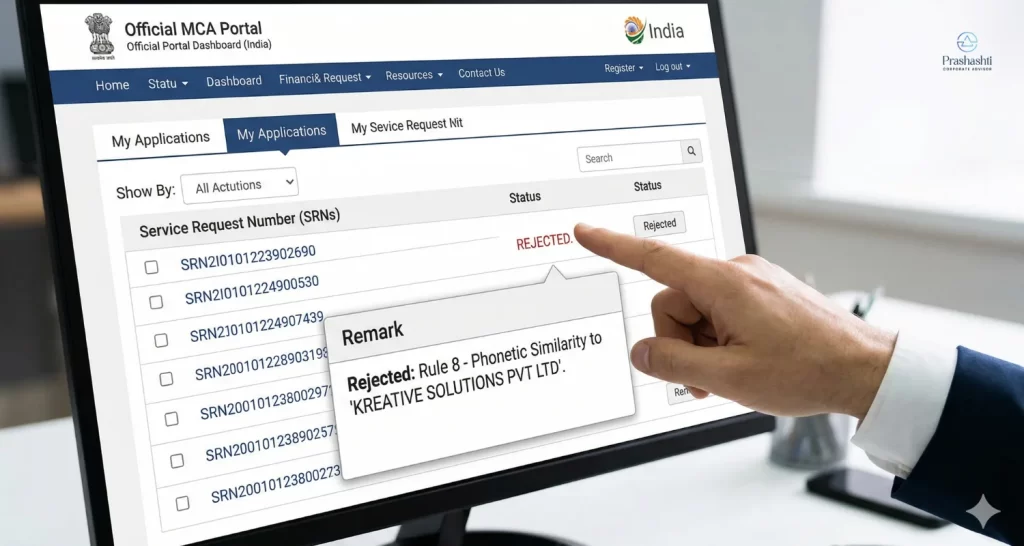
Step 1: Check the Rejection Reason
Go to the MCA portal and log in to your existing account → go to My Applications / Track SRN → open your existing application.
Below you will see the reasons why your application was rejected. Read the remark carefully.
Step 2: Fix the Name (Not Just the Spelling)
Now, you need to search for a new name.
- Add a unique word.
- Change the whole structure.
- Make it different from the old one.
The name should sound and look new.

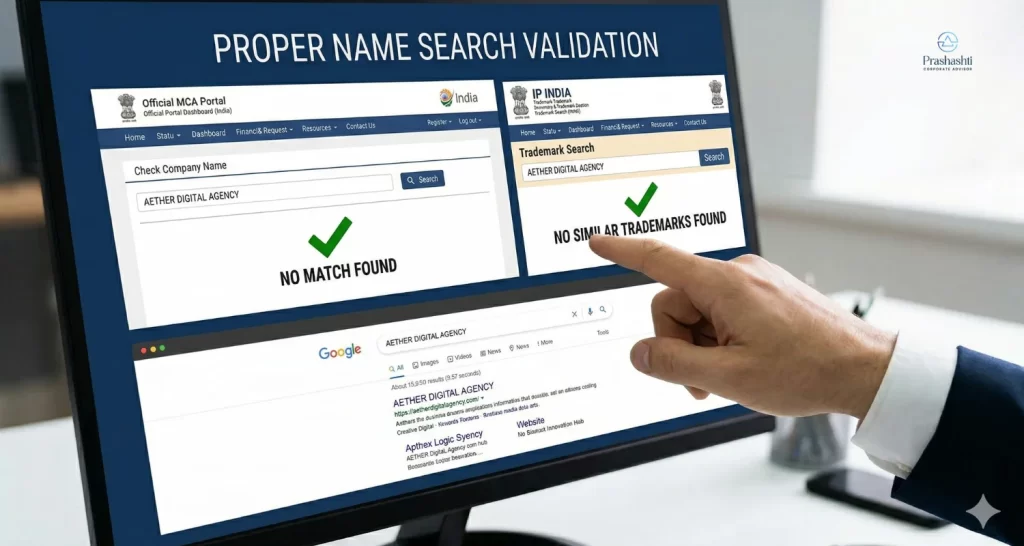
Step 3: Do a Proper Name Search
Before applying again, verify your name.
- Search on MCA “Check Company Name”
- Check trademark on IP India, or
- Do a quick Google search
A structured understanding of company name approval rules in India can significantly improve your chances of getting approved.
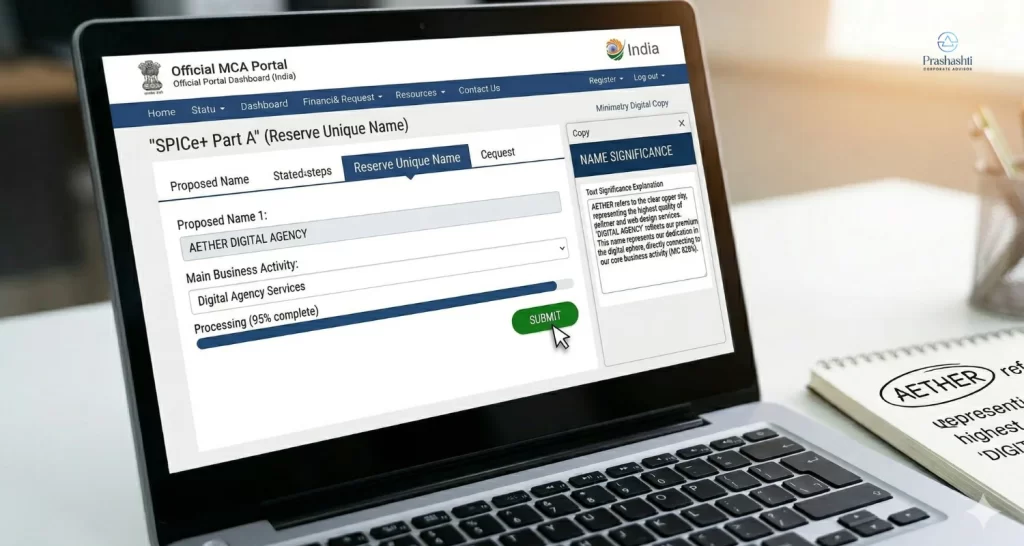
Step 4: Prepare Name Significance
While filing, you’ll be asked to explain the name.
Write clearly:
- What the name means
- How it connects to your business
- Full form (if it’s an abbreviation)
You need to keep this simple and direct
Step 5: Submit Fresh Application (Where to Go + What to Do)
Go to the Ministry of Corporate Affairs website.
Then follow this path:
- Click on MCA Services
- Go to Company Services
- Select:
- SPICe+ (Part A) for new company registration
OR - RUN (Reserve Unique Name)
- SPICe+ (Part A) for new company registration
Now fill the form:
- Enter 2 good name options.
- Add business activity details.
- Write properly what the name means.
- Upload documents (if it is asked).
- Pay the fee (if for RUN).
Once submitted, your SRN will be generated.
Step 6: Track Application Status
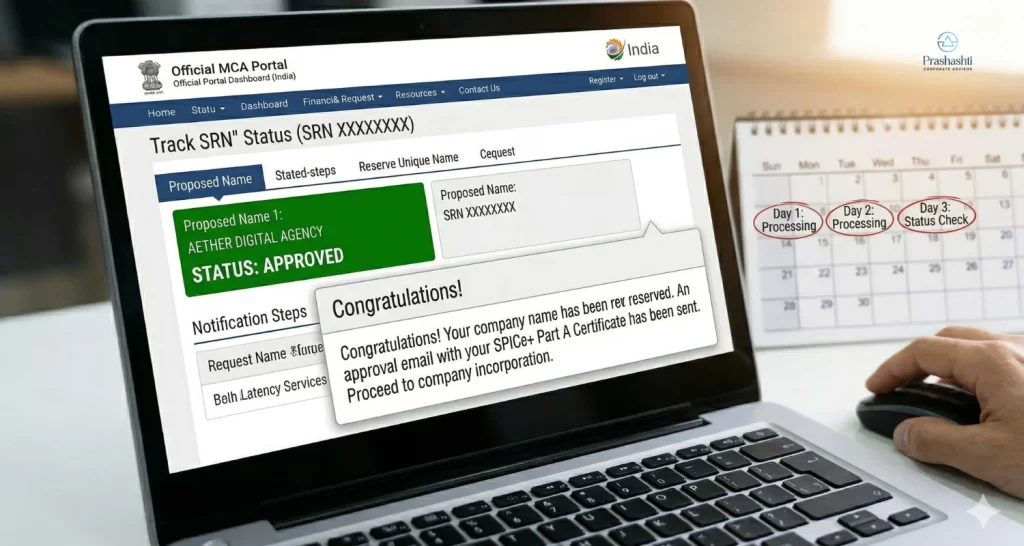
To check the status of your application:
- Go to the MCA homepage
- Click on MCA Services.
- Select Track SRN / Transaction Status.
Enter your SRN.
Status is usually updated within 1-3 working days:
- Approved
- Rejected or
- Resubmission required.
Common Mistakes to Avoid in MCA Name Resubmission
When learning how to resubmit company names in MCA, you need to avoid these mistakes:
- Similar-sounding names are used.
- Trademark checks are ignored.
- Restricted words like “Bank” or “Government” are included.
- The name’s meaning is kept vague.
Generic names are also rejected. If it feels too common, approval is unlikely. Recent changes around MCA director KYC rules and updates have made compliance stricter for companies.
MCA Name Rejection Fix – Practical Resubmission Matrix
Rejection Remark | What it actually means | How to Fix It |
Identical/Too Nearly Resembles | A company with a similar name already exists. | Adding “India” or “Private” is not enough. You have to change the prefix (the first word). |
TM Conflict (Rule 8) | Your name matches a registered Trademark. | Check the IP India Portal. You need an NOC from the TM owner or a new name. |
Lacks Significance | The name doesn’t explain your business. | In the “Comments” section, write a 2-sentence explanation of what the name is about. |
NIC Code Mismatch | Your name suggests a different industry. | If your name is “Logistics,” your NIC Code must be related to Transport. |
How to Improve Company Name Approval Chances in MCA
Getting a name rejected can feel like a setback, but it usually requires a small fix. Once the actual issue is known and corrected, the next application is more likely to get approved. Most delays happen because of simple things like similarity or unclear meaning. These can be avoided with a bit more attention before applying again.
Companies like Prashasthi Corporate Advisors have helped many entrepreneurs and businesses with their name search, and their clear explanations have also helped speed up approval.