

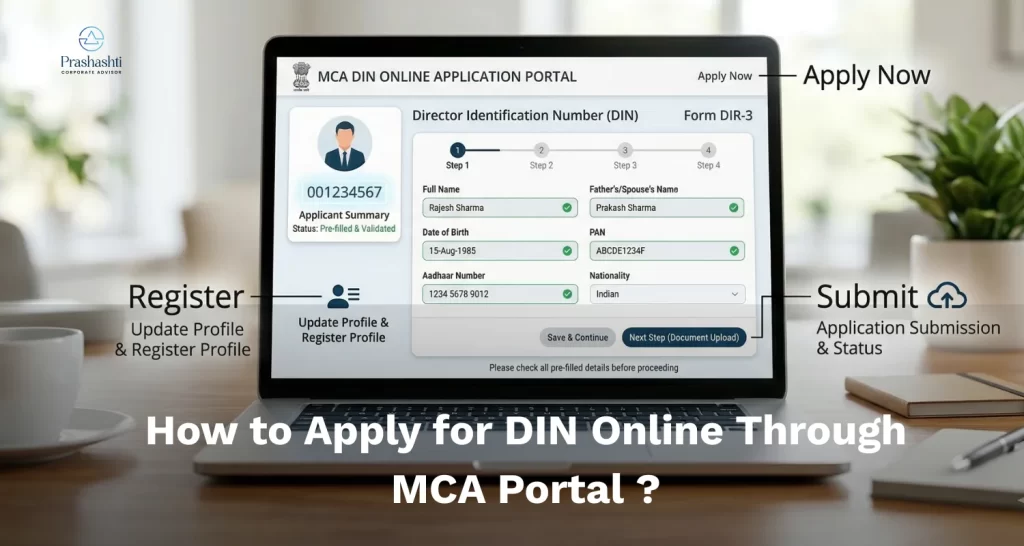
How to Apply for DIN Online Through MCA Portal (Step-by-Step Guide)
Rohit was excited to become a director at a new company. He had everything he needed except for one thing: a Director Identification Number. The appointment will not be able to happen without it. The same thing happens to a lot of first-time directors.
The good news is that the process is now simple and fully online. If you are wondering how to apply for DIN online, the steps, documents, and the exact process on the MCA portal are walked through in this guide, so it can be completed without hassle.
What Is a Director Identification Number (DIN) in India?
A Director Identification Number (DIN) is a unique number issued to individuals who want to become company directors in India. It is provided by the Ministry of Corporate Affairs and helps track directors across companies.
The good part is that the entire process can now be completed online through DIN registration online.
Expert Insight: Your DIN is tied to you, not the company. Even if you leave one startup and join another, your DIN remains the same for life.
Documents Required for DIN Application in India
The important documents you need:
- PAN card (mandatory for Indian applicants).
- Aadhaar card.
- Address proof, bank statement, an electricity bill, or a utility bill (not more than 2 months).
- Passport-size photograph.
- Valid email ID and mobile number.
Prerequisites for DIN Registration Online on MCA Portal
Before you get started with how to apply for DIN online, make sure you have these two basic things ready:
- Digital Signature Certificate (DSC): You need this to sign the DIN form electronically.
- MCA portal account: This is needed to access services on the MCA Portal and submit forms. Since most processes today involve digital verification, having clarity on digital KYC in India can also make the DIN application process smoother.
How to Apply for DIN Online on MCA Portal (Step-by-Step Process)
If you want to avoid DIN rejection, consider professional assistance
You can apply for a Director Identification Number online through the Ministry of Corporate Affairs’ site (MCA site) by using Form DIR-3.
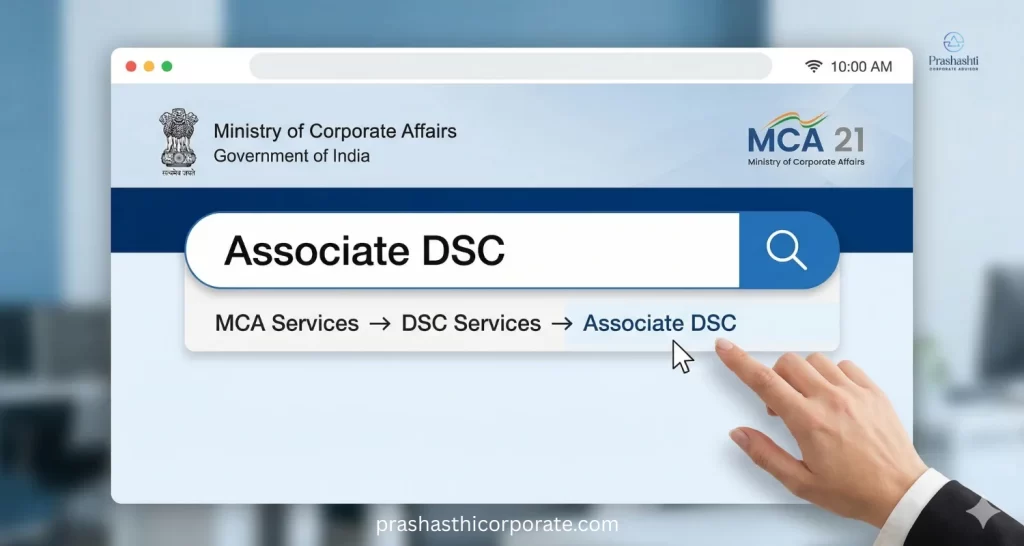
Step 1: Apply For The Digital Signature Certificate (DSC)
First, the DSC must be registered on the MCA Services portal. You can go to MCA Services > DSC Services > Associate DSC.
Step 2: Create a “Business User” Account on the MCA V3 Portal
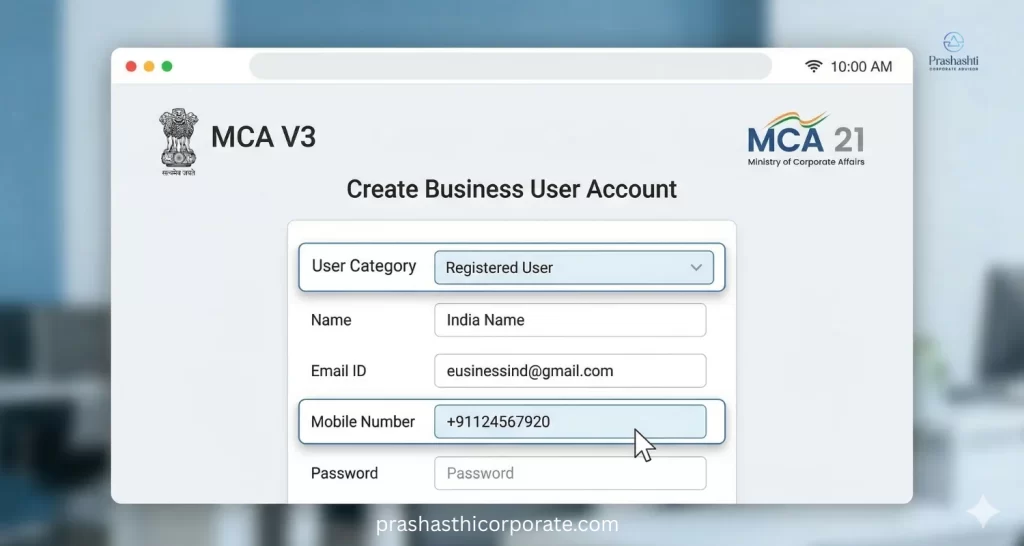
The MCA has transitioned to the V3 Portal. To file the Form DIR-3, you should ideally get registered as a Business User.
If you are a new user:
- Go to the MCA Portal homepage.
- Click on Register.
- Select the user category (Registered User).
- Enter your name, email ID, as well as the mobile number.
- Create a username and password.
After completing registration, log in to the portal using your credentials.
Step 3: Fill DIR-3 Form for DIN Registration Online
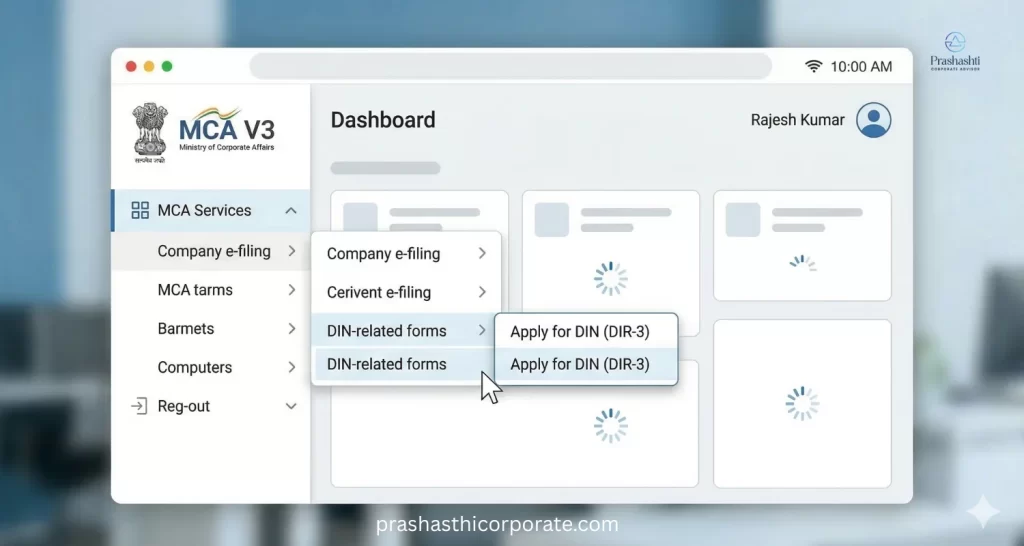
After logging in to the MCA portal, navigate to the section used for DIN services. This is the standard path for how to apply for DIN on MCA.
Go to MCA Services > Company e-filing > DIN-related forms > Apply for DIN (DIR-3).
After you choose these options, the DIR-3 form will open. You can start entering your details.
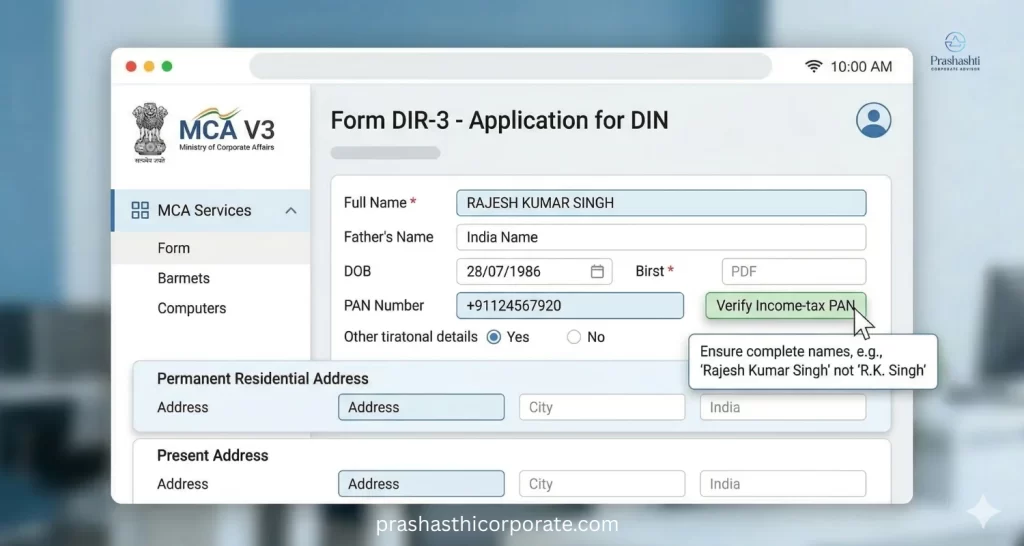
Step 4: Fill out your Personal information.
Enter these below information very carefully:
- Full name (as mentioned in the PAN).
- Father’s name.
- Date of birth.
- Gender.
- Nationality.
- PAN number.
- Occupation.
- Educational qualification.
- Permanent residential address.
- Present address (if different).
Mandatory PAN Verification: You must enter your PAN and click the “Verify Income-tax PAN” button.
Expert Insight: Most DIN applications are denied due to abbreviated names. For example, if your name is Rajesh Kumar, do not simply write “R. Kumar”. Always write your complete name on forms, even if it is not on your ID.
Step 5: Provide Contact Information
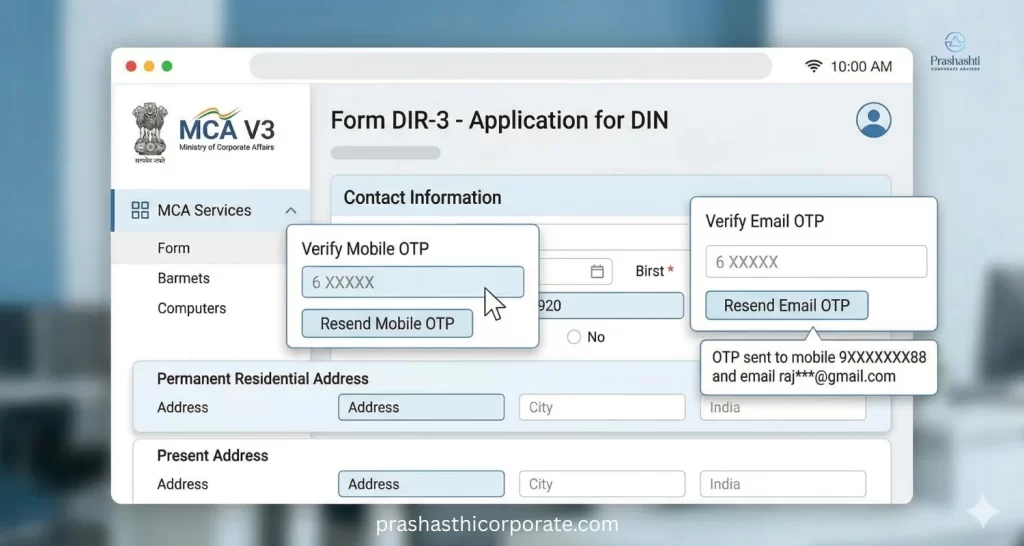
Your contact details will also be asked for by the form. Your mobile number and email address must be provided.
Before the form is finished, “Send OTP” must be clicked, and both the mobile and email addresses must be verified using distinct One-Time Passwords.
Step 6: Attach Supporting Documents
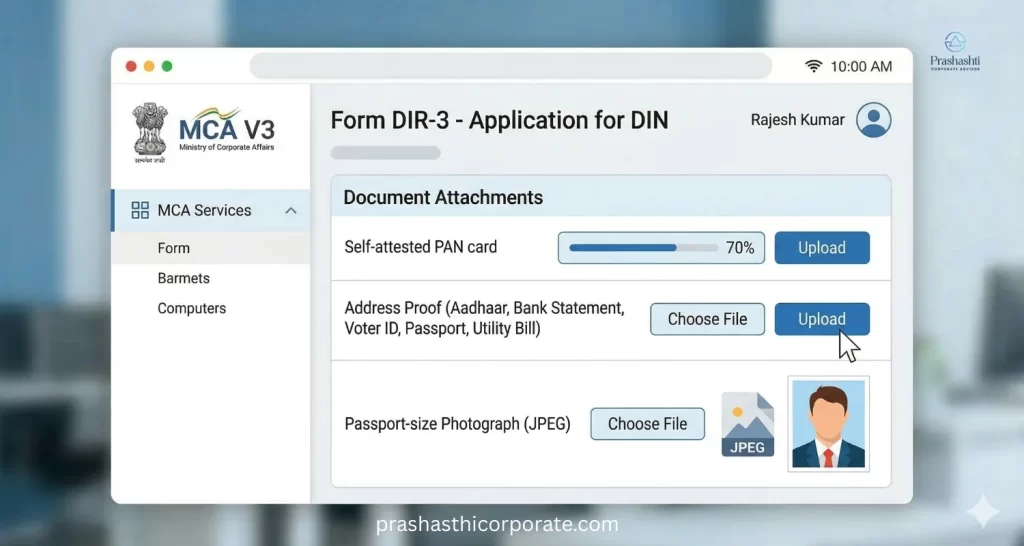
After filling in the form, you must upload these required supporting documents.
- Self-attested copy of PAN card.
- Self-attested address proof (Aadhaar card, bank statement, voter ID, passport, and utility bill not older than 2 months).
- Passport-size photograph in JPEG format.
Step 7: Digital Signature of the Applicant
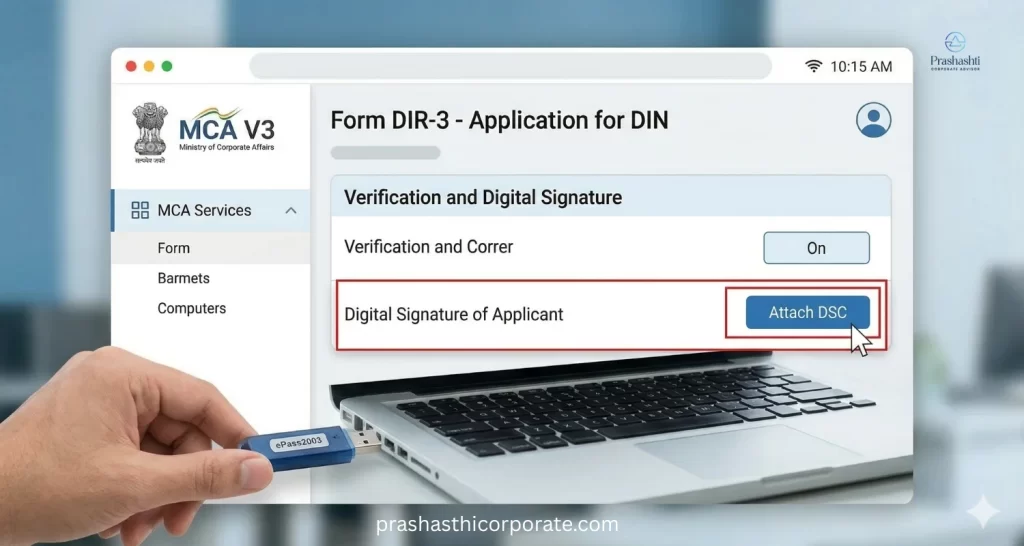
The individual must use their DSC to digitally sign the form after adding the files. This checks the form to make sure all the information on it is right.
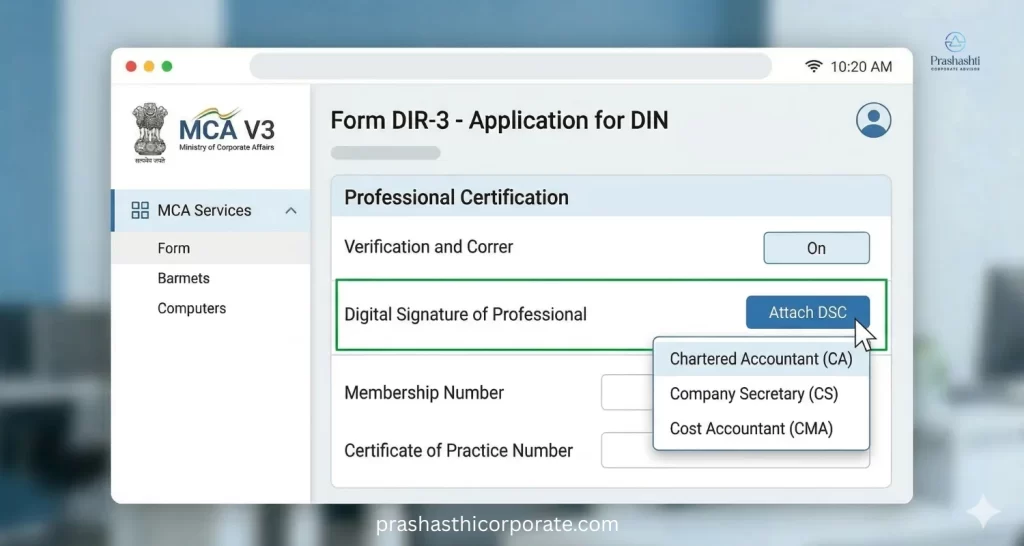
Step 8: Professional Certification of the Application
After the applicant signs the form, it must also be certified by a practicing professional.
The certification can only be done by:
- Chartered Accountant (CA)
- Company Secretary (CS)
- Cost Accountant (CMA)
The professional checks the applicant’s identity and makes sure that the information and documents given in the application are correct.
Step 9: Upload the Form and Pay the Government Fee
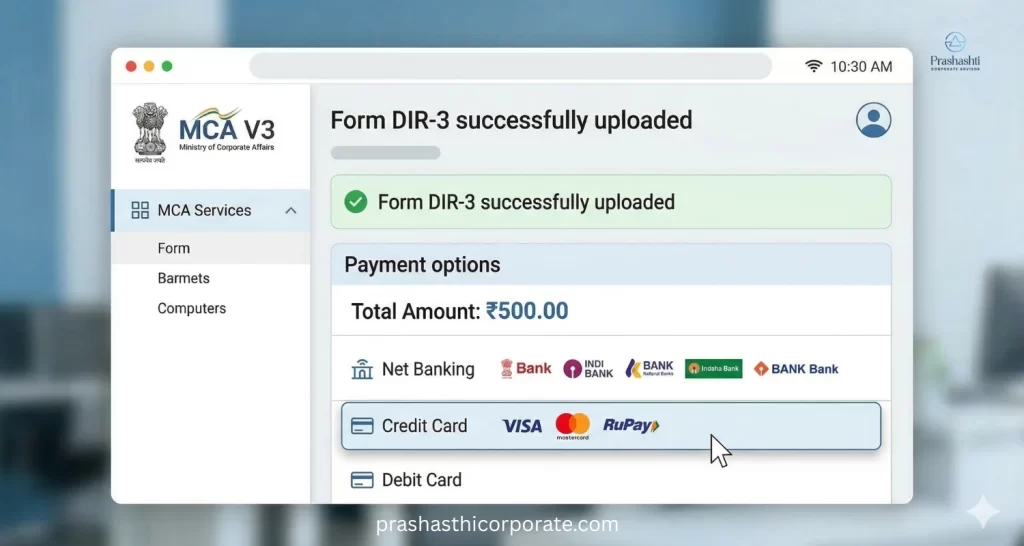
After completing the form and attaching signatures, upload the DIR-3 form on the MCA Portal. Once the form is uploaded successfully, the system will prompt you to pay the government filing fee.
The current fee for DIN registration online is ₹500.
You can pay using:
- Net banking.
- Credit card.
- Debit card.
After the payment, the system generates a Service Request Number (SRN) which will be used to track the status of your application.
Step 10: DIN Approval and Allotment
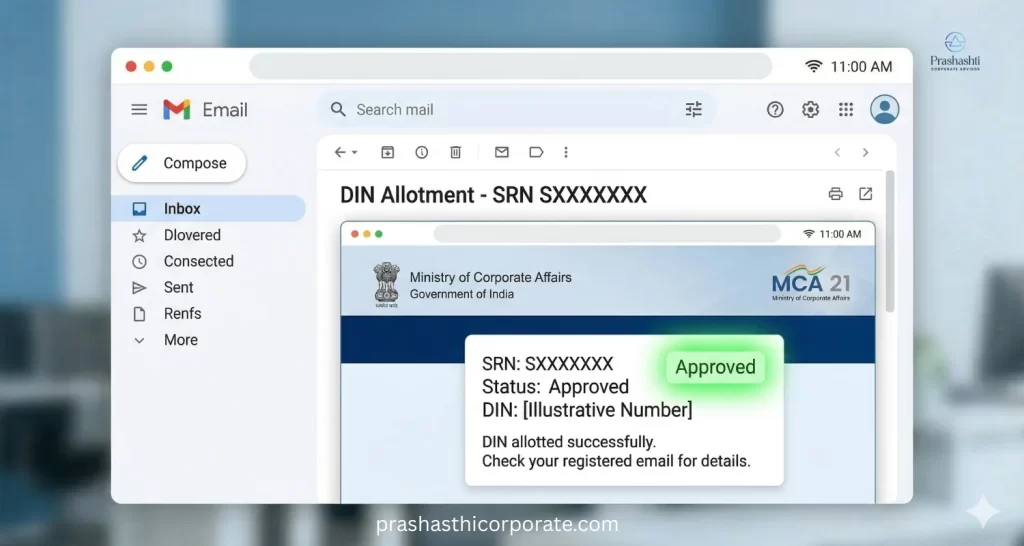
Your DIN will be approved if your information and documents are correct. After that, the applicant will receive a confirmation in the email. You can check the status of your DIN Application.
Common Mistakes to Avoid While Applying for DIN Online
These small errors can slow down your DIN approval.
- Name mismatch with PAN records.
- Unclear or poorly scanned documents.
- Incorrect or outdated address proof.
- Missing digital signatures.
Post-DIN Compliance: DIR-3 KYC and MCA Rules
Learning how to apply for a DIN online is the first thing you need to know. The second important thing are these rules set by the Ministry of Corporate Affairs:
- DIR-3 KYC filing: Every DIN holder must complete KYC before September 30 each year. Missing this deadline can deactivate your DIN and the authorities will impose a ₹5,000 penalty. If you are unsure about the latest requirements or updates, it is important to stay informed about the recent changes in MCA Director KYC rules.
- One DIN per person: Holding multiple DINs is not allowed. If you get a duplicate by mistake, you must surrender it using Form DIR-5.
If you need assistance at any step, Prashasthi Corporate can help simplify the DIN application process.
How to Apply for DIN Online: Final Thoughts?
Getting a DIN is usually easy after your papers are in order and you fill out Form DIR-3 correctly.
If you want help with this, organizations like Prashasthi Corporate can help businesses and professionals with registrations and compliance get done smoothly. For more than ten years, the company has been helping new businesses and startups in India with registration and compliance.